My son’s teacher publishes a class blog about what they are learning. This fall I went back through last year’s posts and figured out which books the class reads for each module. Then we bought all of them. You could probably get them from the library, too.
I would love to read every one of those books to him myself. But at night, after we are done reading together, he likes to stay up for a little bit and read on his own. When I say read, I mean he listens to his Yoto and sometimes follows along with the words in the book.
Yoto does not have cards for most of what his class reads. So I duct-taped together my own version. I recorded myself reading the books onto blank Yoto cards, so he could preview each one before the class got to it.
At parent-teacher conferences I told his teacher what we were doing. I asked her to let me know about any other texts we could preview at home, and said I would be happy to buy the books or do whatever was easiest. She sent the social studies book home with us. I went through it chapter by chapter, made little voice memos, and put them on a card.
It has worked out really well. He likes it, and it lets him do this on his own time and feel a little more independent. Here is exactly how to do it.
The short version
- A blank Yoto Make Your Own card can hold your own recordings. You read the chapter, the card plays it.
- One card holds up to 5 hours of audio, which is plenty for a unit of a textbook.
- Ask the teacher what the class will read next, so your child can hear it before the class gets there.
- If your child needs an accessible version of a textbook, providing it is the school’s job. Ask for that too.
Why a Yoto works for school reading
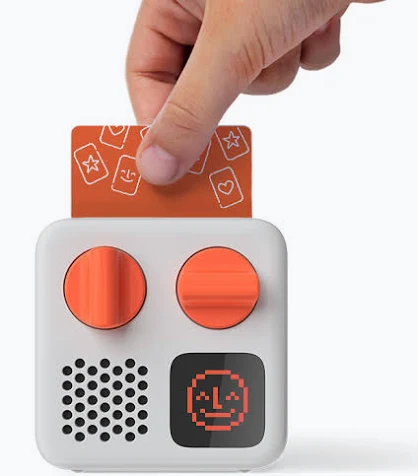
A Yoto is a small speaker that plays whatever is on the card you slide into it. No screen, no app for your child to open, no notifications. For a kid who gets pulled off task by a tablet, that matters.
It also puts your child in charge. They can replay a section, skip back, or listen again the night before a test without asking anyone for help. Each recording shows up as its own track, so “go to Lesson 2” is two button presses.
And listening counts. The University of Michigan’s DyslexiaHelp program makes the case plainly: kids with dyslexia are at risk of falling behind in knowledge and vocabulary when they read less than their peers, and audio gives them grade-level content while their decoding catches up. Your child still needs real reading instruction. This is how they keep learning social studies in the meantime.
Find out what is coming
Previewing only works if you know what is next. Three places to look:
- The class blog or newsletter. Last year’s posts showed me which books went with each module.
- The teacher. Ask which texts are coming and offer to buy or borrow them. Ours sent a textbook home.
- The library. Most class novels are on the shelf.
Ask for an accessible version too
If your child has a disability that makes print hard to use, there is one more question to ask. Students with disabilities who need accessible materials have a right to get them in a timely manner under federal special education law. A textbook your child cannot read independently is exactly what that covers.
Three things to ask or check:
- Does the publisher have a digital version with read-aloud? Many current textbooks do, and the school may already have the license.
- Is the book in Bookshare or Learning Ally? Search the exact title and edition. I wrote about how to qualify in this post on free accessible books.
- If it is not there, can the school request it? Schools can ask for a textbook file through a national repository that parents cannot use directly.
Keep recording your own in the meantime. A request can take weeks, and nothing about making your own card weakens it.
What you need
- A Yoto Player or Yoto Mini.
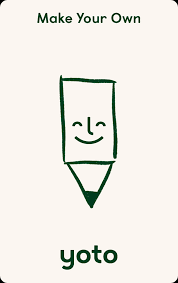
- Blank Make Your Own cards. They are reusable, so you can record over a card when the unit ends.
- Your phone with the Yoto app.
- The textbook and a quiet 15 minutes.
Yoto’s limits for a Make Your Own card are generous: up to 100 tracks per card, up to 60 minutes for any one track, and up to 5 hours in total. A textbook lesson read aloud usually runs 5 to 15 minutes, so you will not come close.
How to record a chapter
I make voice memos on my phone and upload them. If you are starting from scratch, recording right in the Yoto app is simpler. Yoto’s own guide walks through it, and these are the steps:
- Open the Yoto app and go to the Create tab.
- Tap Record. A short countdown runs, then you are live.
- Read one section. You can pause and resume if the dog barks.
- Tap Save, then rename the recording so you can find it later.
- Add the recording to a playlist. Make one playlist per chapter or unit.
- Open the playlist, tap the three-dot menu, and choose Link to a Card.
- Put a blank card in the player and tap Link. When the player shows a green tick, the card is ready.
If you record voice memos like I do, save the files, then upload them to a playlist at my.yotoplay.com using the same login as the app.
How to organize a card
I go chapter by chapter. A few habits make a card easier for a kid to use on his own:
- One track per lesson or section. Match the book’s own headings so the track list looks like the table of contents.
- Name every track the same way. Chapter, lesson and page numbers work well, like “Ch 4 Lesson 2, pages 61 to 66.”
- One card per chapter or unit.
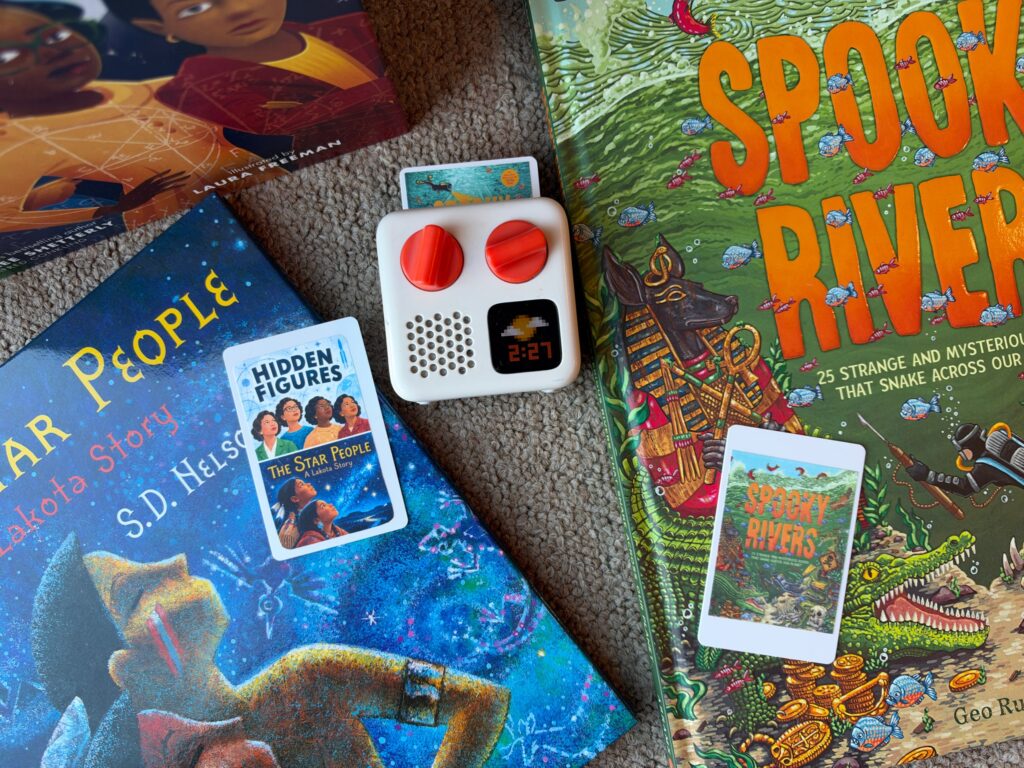
- Label the card with a sticker. I print little vinyl stickers with the book cover on them. When I want to reuse a card for new material, I peel the sticker off and put on a new one.
- Pick a different icon for each track. The icon shows on the player’s display, which helps a kid who cannot read the track name yet.
Tips that save time
- Say the page number when you turn the page. Your child can follow along in the real book and always knows where you are.
- Read the headings, captions and vocabulary boxes. A lot of the content lives there.
- Describe maps and pictures in one sentence. “The map shows the five regions in different colors.”
- Do not chase perfect. If you stumble, say the sentence again and keep going. It is a textbook, not an audiobook.
- Record in short batches. One lesson a night stays ahead of most classes.
Have your child keep the book open while listening when they can. Eyes on the page and ears on the audio is a different experience than audio alone.
What belongs on a card
Check before you record. If Yoto sells the card, or the book is in Bookshare or Learning Ally, someone else has already done the reading. Those two services also have apps with text that highlights as it is read, which a Yoto cannot do. I compare the main services in Bookshare vs. Learning Ally vs. NLS/BARD.
Save your voice for the things nobody else will ever record:
- Class novels and read-alouds you cannot find anywhere else.
- Textbook chapters that are not in any accessible library yet.
- Study guides and review sheets the teacher sends home.
- Class handouts and articles.
- Spelling and vocabulary lists, with each word used in a sentence.
- Directions for a long project, broken into steps.
That last group is where a card earns its keep. A study guide read aloud, on a card your child can replay three times before a test, costs you five minutes.
A word on copyright
I am not a lawyer, so here is simply what I do. These are books we bought or that his teacher sent home. It is publisher content I do not own, so the recordings are not mine to share. They are for one kid, at home. I do not pass them to other families, post them anywhere, or sell them. If you want to help a whole class, the right path is to ask the school to get an accessible version for everyone who needs one.
What to do this week
Find out the next book or chapter your child’s class will read. Check the class blog or newsletter, or send the teacher a two-line email. Then record the first chapter as one voice memo, put it on a card, and hand your child the card and the book together. See what happens.
Leave a Reply